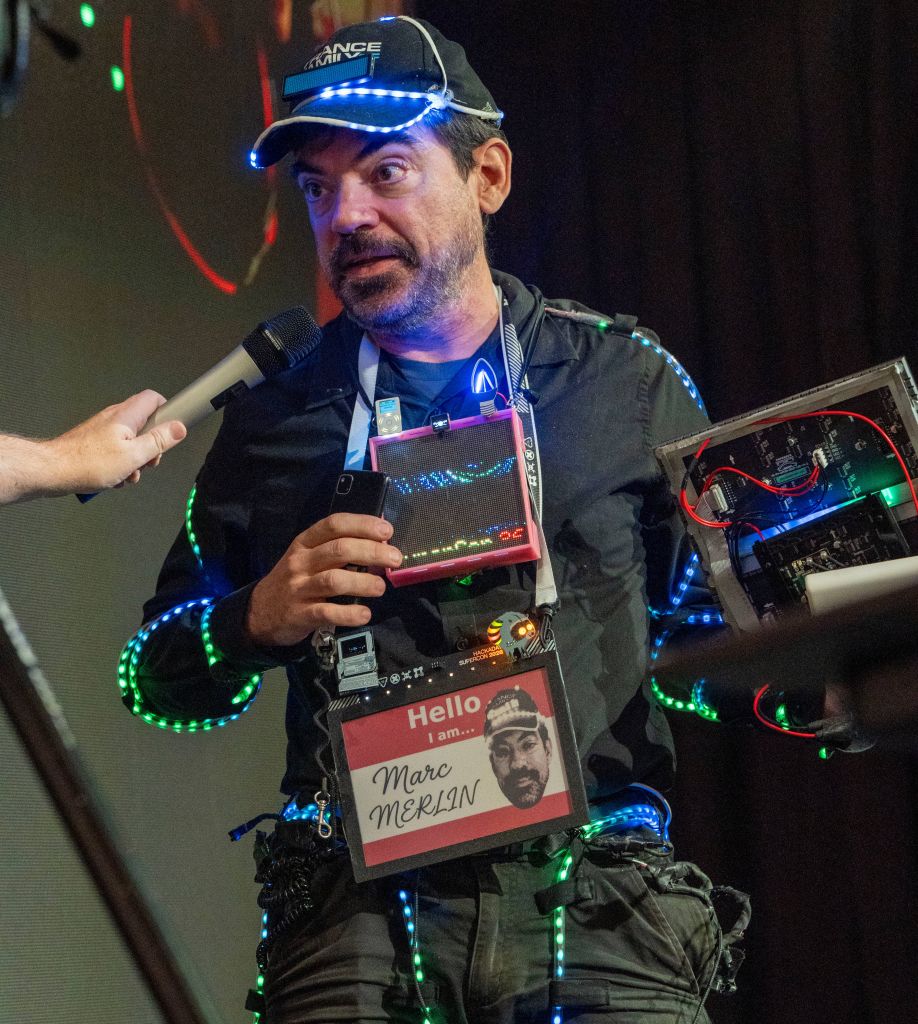
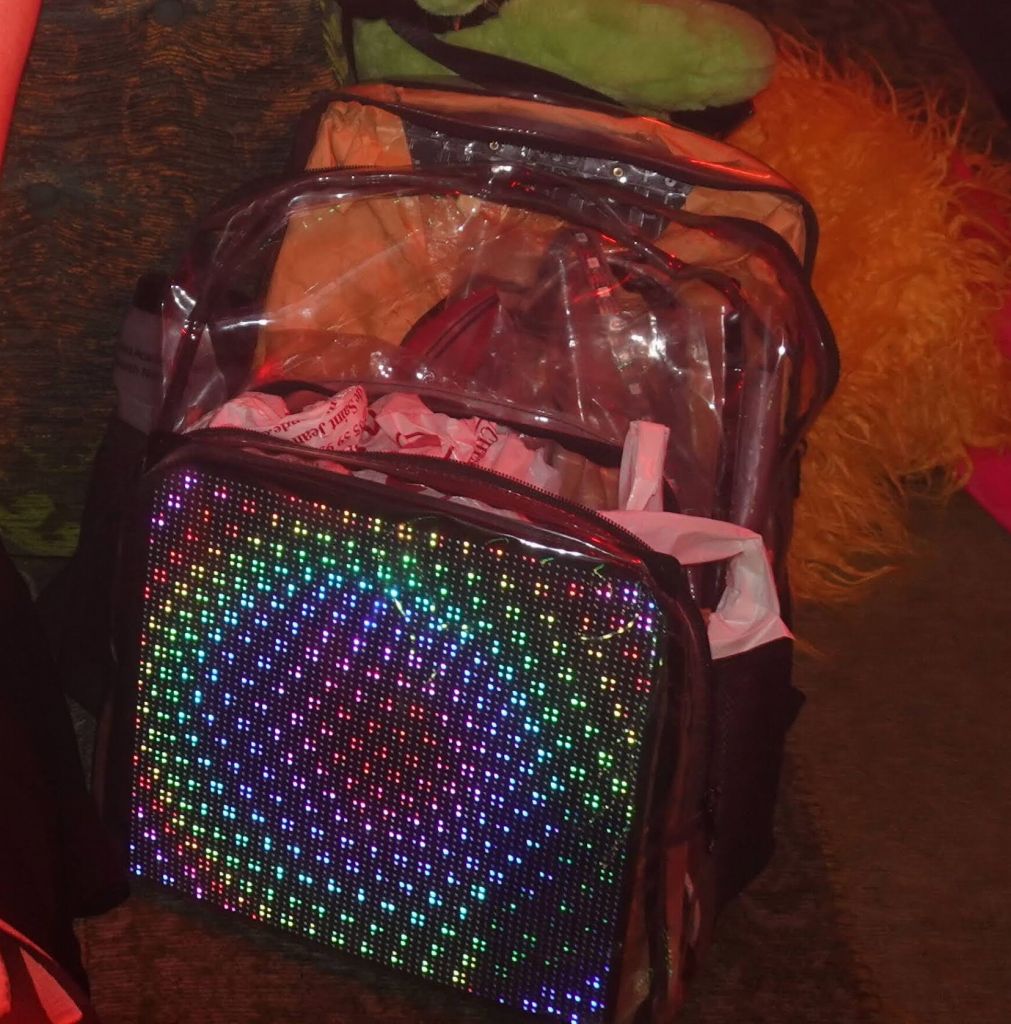
And if you are curious about my LED outfit, you can read more about it on my led peacock engineer medium post and if you'd like to read all my festivals or dreamstate, or clubbing posts, please click on the links higher on the page to get taken to those categories.
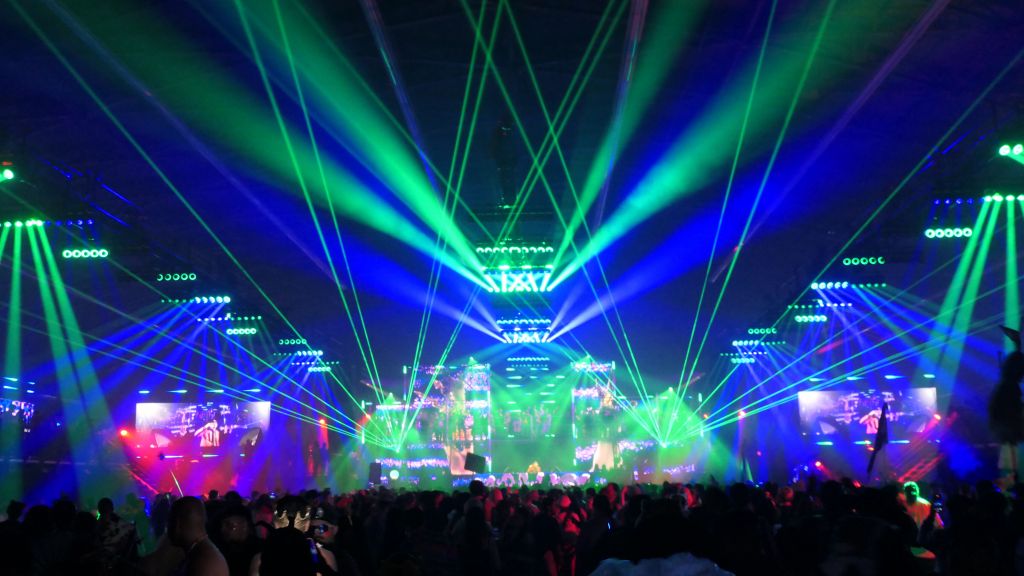
This was a dreasmstate pre-party and double night, first went to Great Northern to see Blurr, I hadn't been there is a while, still great decors:
I would have stayed longer, especially see my friend Khromata, but it was time to head out to go to Public Works to see Dave who had gone through hell and earth across the FAA plane meltdown to fly to San Francisco:
RP2040 and RP2350 are bare metal microcontrollers, not nearly as easy as ESP32 or teensy
People are excited about the RP2350 (or the older and cheaper RP2040) because it's around 0.50c to $1 cheaper than ESP32-S3, but I found it a more difficult chip to work with, namely lack of support or fragile support for things that "just work" on ESP32 and have worked for 5 to 10 years:
lack of support NVRAM ( #include <Preferences.h> )
more generally ESP32-S3 comes with PSRAM and better manages its 4MB of flash with optionally 2 OTA partitions, one coredump partition, and one small NVRAM partition (both chips have 4MB of flash, but that RP2350 does not have PSRAM)
Lots ESP32 code like OmEspHelpers does not work since it's another chip
lack of crash dump on serial port that can be trivially decoded to find what crashed
fragile serial port support (emulated in software and can disappear at runtime for a variety of reasons)
serial emulated in software, is so slow to setup that arduino missed all your early init Serial output unless you put a delay(1000)
ESP32 will log early setup and init (before your code runs) on serial so you can see early crashes on serial. RP2xxx will not have any serial support working before some time after your code starts, can crash before your code even gets the chance to run its first line, and you will get 0 output on serial to tell you why
the biggest issue is it's apparently "illegal" to compute floating point when initializing a global variable, or to initialize a random value to a global and it totally crashes the chip before you'll see any output on serial. I'm not going to discuss C++ bare metal specs, but I'll point out that Teensy got this working fine and so did ESP32, while RP2xxx doesn't go beyond the spec requirements and happily crashes with 0 output on serial for you to figure things out.
That last point lost me more of a day of work. Not only is the serial support not super reliable and non obvious to setup (see below). I personally will happily pay an extra 50c to $1 per chip to get reliable serial console, early serial debugging, and the super helpful crashdumps on serial with a built in arduino exception decoder that shows me the full backtrace in my source. You save hours of printf debugging with this feature alone, while on RP2xxx, printf debugging might not even work at all.
Took me not hours, but several days to port ESP32 code to it like this library (the library was not too hard, but Table_Mark_Estes was due to globals), because code like Table_Mark_Estes69 and Aurora was full of global initialisations (because why not?) and some did a simple floating point division like ratio = width/height, and that's illegal, or rand = random(1,3) and that's illegal too. Gemini AI also told me that initializing a FastLED object that is copied from another one at global scope is apparently not 'safe' either.
:
So what happens if you do this (which in this case was just compiling code that has worked for 10 years on every single chip I ever compiled it on)? The chip just crashes before setup() ever runs and you ever see any output of any kind
Good luck debugging that without a specialized debugging probe or many trial and error builds until one finally runs long enough for setup to print something.
You can get Interstate 75W here: https://shop.pimoroni.com/en-us/products/interstate-75-w . One thing I liked about that board is that the HUB75 connector was layed out so that you can plug the board in most RGBPanels while the Adafruit ESP32S3 MatrixPortal does not directly plug in most panels, or sticks out in an awkward way
It was way too much work chasing all those globals doing float or random, but after a lot of trial and error, success:
I'll stress again, though, that it took me 2 extra days to get to work compared to an ESP32 S3 Matrixportal, and I still doing have my wifi code working since it doesn't support the ESP32 wifi libs.
Arduino Environment build options
For ESP32-S3 they are not super obvious and matter. For Interstate 75W, even more so as there is no pre-made chip definition in arduino and if you guess wrong, it will crash:
Board: generic RP2350
Flash Size: 4MB (Sketch: 2MB, FS: 2MB, or 4MB/0 is fine too)
PSRAM: none
CPU Speed: Start with 128Mhz as 150Mhz is too fast for the unpatched Adafruit Lib
Optimize: -Os is fine
Stack Protector: enabled
Debug Port: Serial
Debug Level: All (although that shows plenty of things for ESP32, and it seemed to show none for this chip)
USB Stack: Pico SDK (Adafruit TinyUSB worked for output but failed to receive the reboot command necessary for flashing)
Upload Method: Default/UF2 if it works (worked for me) or picotool if you make it suid root (see below)
Safe Arduino Serial with RP2xxx
Normally you can have a while (!Serial) loop to wait until the serial port comes up, but RP2350 (and RP2040 I'm sure), it does report true while the serial port hasn't appeared on linux yet, so everything sent to serial during setup is lost. You have to add another blind delay after that to account for it.
// 1. Initialize serial port
// Note that the serial port is likely starved by Protomatter, so most serial
// is lost. TODO: move Protomatter to setup1() and loop1()
Serial.begin(115200);

// 2. Allow up to 4 seconds for Linux host CDC-ACM enumeration
uint32_t t0 = millis();
while (!Serial && (millis() - t0 < 4000)) {
  delay(500);
  Serial.println("Priming Serial (especially for RP2xxx chips)");
  Serial.flush();
}

// this is dirty but needed. On RP2350, Serial returns ok, but the end to
// end connection isn't working and the boot messages are lost without this
delay(1000);

Serial.println("\n\n===========================================");
Serial.println("     HARDWARE BOOT OK: Entering setup()");
Serial.println("===========================================");
Serial.flush();
```
Default/UF2 vs picotool
-----------------------
Gemini says, default/UF2 is fragile, it relies on:
sending a serial command that your code may miss, especially if it's crashed (in that case you must hold boot button, push reset, release boot to force going into usb storage mode)
the usb drive being mounted as drive letter
copying the firmware on the drive letter, umounting and that causes a flash/reboot
It can also fail like this if the reset command is lost/ignored by the code (this is one of the big pitfall of that chip, other chips use a line like DTR and have hardware put the chip in flashing mode, even if your code is crashed)
Resetting /dev/ttyACM0
Converting to uf2, output size: 546304, start address: 0x2000
Scanning for RP2040 devices
No drive to deploy.
An error occurred while uploading the sketch
So, if you get the above, force the switch to usb-storage:
hold boot button
push reset button
release hold button
and you get:
[74736.918907] sd 0:0:0:0: Attached scsi generic sg0 type 0
[74736.961850]  sda: sda1
[74736.961948] sd 0:0:0:0: [sda] Attached SCSI removable disk
Then flashing will work
How about flashing with picotool?
picotool is supposedly a more robust flasher than the UF2 method, but it won't work any better than UF2 if the chip isn't being rebooted in usb-storage mode. It won't work out of the box unless you are root, but you can do this:
Sketch uses 250816 bytes (12%) of program storage space. Maximum is 2088960 bytes.
Global variables use 41008 bytes (7%) of dynamic memory, leaving 483280 bytes for local variables. Maximum is 524288 bytes.
/home/merlin/.arduino15/packages/rp2040/tools/pqt-picotool/5.0.0-9576866/picotool load /tmp/arduino_build_830579/Table_Mark_Estes69.ino.uf2 -f -x
Family ID 'rp2350-arm-s' can be downloaded in absolute space:
  00000000->02000000
Annoying, it reboots with errors and failure on serial port, but serial port seems to work in the end:
The device was rebooted to start the application.
processing.app.SerialException: Error opening serial port '/dev/ttyACM0'. Try consulting the documentation at http://playground.arduino.cc/Linux/All#Permission
	at processing.app.Serial.<init>(Serial.java:150)
	at processing.app.Serial.<init>(Serial.java:82)
	at processing.app.SerialMonitor$2.<init>(SerialMonitor.java:132)
	at processing.app.SerialMonitor.open(SerialMonitor.java:132)
	at processing.app.AbstractMonitor.resume(AbstractMonitor.java:132)
	at processing.app.Editor.resumeOrCloseSerialMonitor(Editor.java:2126)
	at processing.app.Editor.access$1300(Editor.java:116)
	at processing.app.Editor$UploadHandler.run(Editor.java:2095)
	at java.lang.Thread.run(Thread.java:748)
Error opening serial port '/dev/ttyACM0'. Try consulting the documentation at http://playground.arduino.cc/Linux/All#Permission
These are the race conditions in the fragile software serial this chip relies on.
USB Stack: Pico USB vs Adafruit TinyUSB
If you have issues with arduino not being able to force flashing mode, use my 'F' command in TME69 that calls 'rp2040.rebootToBootloader();' and lets you reflash without holding back buttons.
But yeah, this is sad, this "just worked" on ESP32-S3 and I've wasted multiple hours with it not working on this RP2350 chip. In my case, I 'fixed' it by switching back from the Adafruit USB stack to the Pico SDK stack in the arduino build optins. My best guess is that the
adafruit stack loses messages/interrupts when the RGBPanel ISR is running while the TinyUSB stack does not.
Dual Core Setup: setup1() and loop1()
On ESP32, it will automatically run wifi callbacks on the other core and probably take care of other ISRs like serial, without you having to worry about it. On RP2350, if you want to offload the first core, you have to manually move variables and code to another core and make sure to carefully sync between the 2 cores with volatile. It's ultimately the same as what is happening on ESP32, but it's happening there by default whereas here you need to make a second setup1() and loop1() which makes your code less compatible with other CPUs.
Verdict
Long story short, things work *so* much better and were *so* much easier on ESP32. I wasted close to 2 days figuring all of this out, but this README will hopefully save you most of the time I lost.
This was my 3rd time in Pasadena Hackaday Supercon, and it was their 10th year. I'm sad I didn't go the other 7 years :)
I came suitably equipped with blinkies :)
New venue this year, bigger and nicer:
in the college of design
cool car designs
Many people will cool things ;)
working hard
nice custom PCB, well done
I need to carry my batteries like this when I board planes :)
I setup shop for the day, working on ESP32 MatrixPortal networking:
I found out my batteries need anti-stress protection
hot glue to the rescue
And cool stuff:
The badge this year was a bit eink screen, very cool
it came with very cool art
people made cool hacks
I just had enough time to add my name and face
some people took the job seriously
and what's a badge without SAOs
I went to multiple workshops:
cool idea, changing RF into sound
back at blingiton
this time I had to port my code to an RP2350 which was much more challenging than planned
Talks:
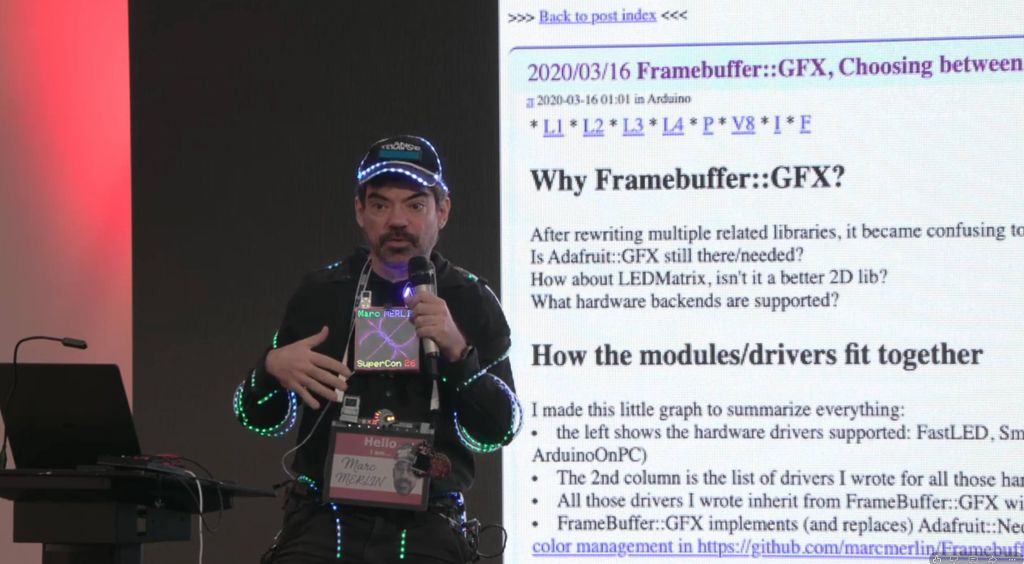
I did a lightening talk for Framebuffer::GFX:
and how I got to meet so many DJs thanks to it
action shot, with my older code that didn't refresh the badge quickly enough
I went for the badge competition, but didn't win despite having networked badgeds running demos across multiple chips, including an RP2350 from the new BlingItOn workshop, whicn I barely got working after 24H of loads of work with 18mn to spare :)
Then it was time to hang out at a bar to close the weekend:
π
2026-11-01 01:01
in Arduino, Clubbing, Festivals
I upgraded my LED outfit from 64x96 to 128x192 over 5 years ago, increasing the resolution 4 times, which allowed me to show much better graphics. During that time, I still had an old off the shelf 64x64 P3.5 LED panel which was nice and thin, and not too power hungry. But the remote software was not great, and the memory was limited. Also, they were old style circuit boards that did not like any flexing and broke easily (I have literally broken more than 10 of those in the last 10 years or so).
End result
And these are the old 64x64 panels:
with 64x64 P3.5, you can of course see the bigger pixels
as I mentioned, they broke easily
here the bottom right corner is broken
Story
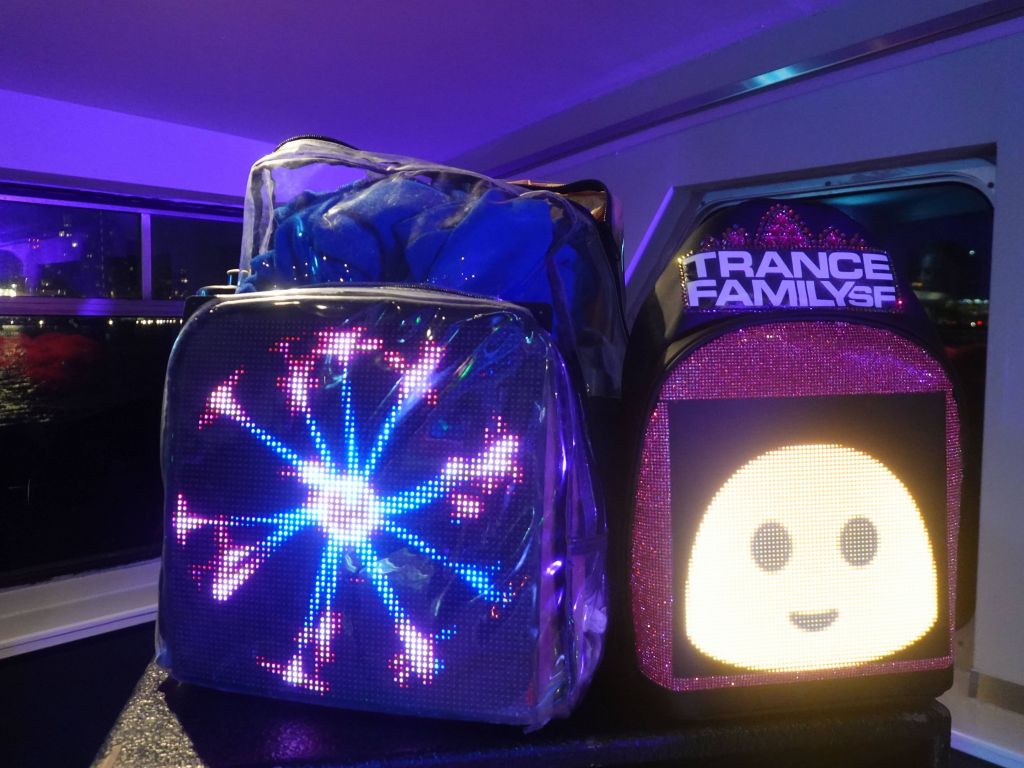
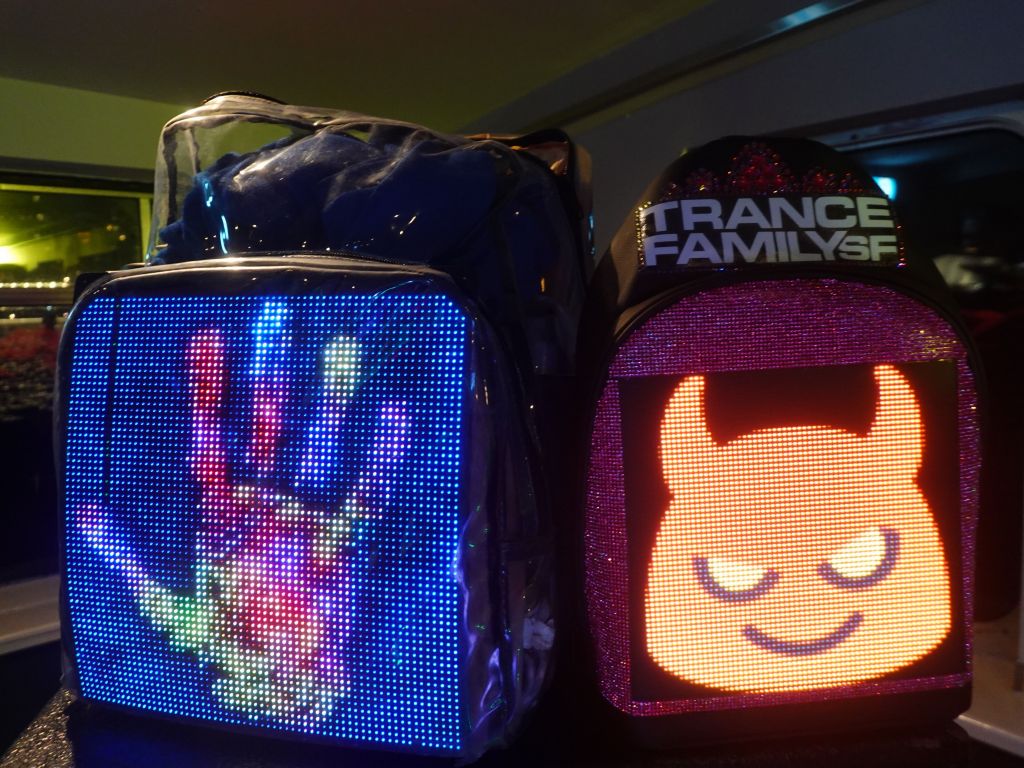
For a long time, I had been wanting to run my own code on my LED backpack, but I also wanted higher resolution, so I held off. While I was at it, I also wanted my backpack to be synced with my LED outfit, so after I did the work to make my LED Outfit v8 with independent front and back screens that are not connected physically (they do share power for convenience reasons), the same wifi code that keeps them in sync was now easy to add to an external display like one in a backpack, so the only thing left was to get said display.
For size reasons, LED backpacks are sized to work with P3.5 64x64 panels, which also means they work perfectly with P1.875 128x128 panels. My only need was to find some that were bright enough and would not break right away. This is where Hongren Su from Azerone, who has been my trusted panel seller for years now, got me 2 sets of P1.825 PWM panels (they run a different PWM chip), which ensured they'd have high refresh rates and work pretty well in daylight too. Thankfully, earlier this year, kindgoc9 made a fork of the hzeller RPI RGB Panel code, and added support for enough PWM panels that both kinds I got, just worked.
First, I had to significaly improve the robustness of my wifi code, which took a bit of time as the ESP32s like to save power but in the process woudl also lose broadcast packets I used to discover other screens. Google gemini helped figure this out, and with my guidance, I made some more robust code that works most of the time. Most of the time is because unsurprisingly, I found at a festival that there can be so much RF noise, that my ESP32 AP is not visible by the other chips, or my phone, so I'll need to implement some workarounds for that, but otherwise it worked well.
First, I had to find some driver settings to get around some display issues, and found that adding a higher GPIO slowdown, fixed it:
Before long, I got my 3 LED panel displays to sync, plus 2 smaller 128x128 backpack ones:
wrote some extra code to shrink the graphics on 128x128 displays
I buitl 2 different kinds to see what would work best. This pre-made panel was great since it would be bulletproof and not bend, but there was no room to add my electronics:
the other bad news is that it's pretty battery hungry and I need 2x70Wh for a full night
the panel + 2 LED strips took around 100Wh for 7H, pretty hungry but 2 70Wh batteries do the job
for comparison, my full front and back outfit (without extra LEDs) took 125Wh for the same 7H-ish
not the most professional setup, but ok for the first time ;)
my 2nd prototype uses raw panels and a nice metal frame done by Hongren Su from Azerone
the 2 kinds of panels look the same from the display side (and yes, they work with USB packs that can do 12V USB-PD)
Power Use
That was the tricky part. For comparison, the 64x64 ones I made run by just an ESP32 S3, used 1.5W of power or so. The first version of the rPi one, was taking 12W (!)
So to lower that down, I did this:
I had 2 kinds of PWM panels, the one without shift register used 2W fewer, easy win
I downgraded the Rpi3a to an Rpi0 2wl, that was another watt or so, saved
The step down converters, I had a tobsun that was big, and a nice and flat 16A BEC, but it took 1W more :(
And then I realized that I got the entire thing below 10W even on bright displays, that USB-C can give 3A/15W on 5V, so I just skipped the step down and powered with straight 5V from the battery pack
This got the whole thing down to 5-7W dependind on how bright the display, is:
almost 10H runtime, great news!
And the great news is I was able to empty an entire 60Wh pack, and it worked for 9h49mn, which enough for most nights.
Insomniac never sleeps, they have so many festivals, plenty of which I haven't seen yet, even though if my count is correct, this was my 97th festival since I started doing this 23 years ago ;) (this is only counting multi-artist real festivals, I had to exclude things like Armin only or Tiesto in Concert as they don't qualify), so I was curious to check out Escape after hearing great things about the decor and of course, the costumes that people bring for Halloween (I did remember the LA crowds for Halloween for Monster Massive back in the days).
Of course, it was at the familiar San Bernardino NOS, which I still enjoy and have fond memories of, from former Dreamstates and Beyond Wonderland. Yeah, SBD is not the nicest city, but it feels safe enough, especially compared to south central LA/Banc of California area :)
Grounds
So, how was Escape? It felt like a Halloween Beyond Wonderland, and I mean that as a good thing: wonderful decor on a different theme obviously and the layout was familiar:
Thankfully Day 1 had rain just before the festival, but not during, so it was pleasant to get around:
welcome to escape
the voodoo room was beautiful
beautiful spider
Hi Insomniac folks, little mistake for this one, the VIP wifi password wasn't posted anywhere, I had to get a picture of a picture of a picture from someone working there. On the plus side, since barely anyone had the password, Wifi worked great ;)
Insomniac continued to put great effort into Passport, rewarding its most loyal members:
Props for the burning man art:
and it worked under the rain
They had multiple performing stages, including a huge outdoor one, where the performers continued under the rain, props to them:
And OMG, the monkey from mainstage was absolutely impressive:
Day 1 without the rain, allowed for drone shows
The People
Insomniac festivals are of course fun because of the people, but even more so during Halloween:
For me, it was also a special test day, the first time I got to try the new LED backpack I just designed to be a similar resolutino than my LED outfit, and synchronize over Wifi (which was challenging as Wifi sometimes got overwhelmed by the festival RF noise):
4 displays in sync, outfit front and back, and 2 backpacks :)
Remote Demo
I got to meet another LED euthusiast who had the exact umbrella I needed ;)
Festival
Day 1 was the best day since the weather was quite nice. Day 2 sadly had near constant rain, as predicted, so at least I was ready:
arrived just before sunset, not many people, yet
Conclusion
Yes, there was literally 0 trance, I knew that. Honestly this festival had not been on my list before as none of the music was really stuff I enjoyed that much, but verious kinds of EDM, some a bit more fun then others, but Crazy Frog was heard more than once ;) Jokes aside, it was pretty enough and had enough entertainment that I'm glad I went.
The rain on day 2 sucked, it was mostly non stop, but thankfully light rain. Also the main stages were covered, so you only got wet while going around between them. And unlike Ultra Miami that had a ridiculous policy to not allow umbrellas despite torrential rain, Insomniac did allow them thankfully (and some were even beautifully decorated with LEDs). All the festival gear and stages kept working, even the outdoor stage with cabaret and burlesque shows kept going, huge thumbs up to the performers!
The rest, I'd compare Escape to Beyond Wonderland at NOS: solid festival with beautiful decor and plenty of costumed staff that really added to the atmosphere. It's another solid festival from Insomniac. The only thing that felt missing was the lacking wifi (cell was mostly not working, not convenient to find lost friends, or call an uber) and as I mentioned the VIP wifi that was not published anywhere, so it was difficult to know what the password, was. Yes, make fun of me for wanting to stay connected :) (although jokes aside, it's impossible to make correct IG stories without connectivity when you cannot expand tag or location names).